
How to Post Free YouTube Ads Using Post Points
updates December 22, 2025 2 min read 1,894 views
Introduction
Want to get more views on your YouTube videos without spending money? PageRankCafe offers a unique way to promote your YouTube content for free using Post Points. In this tutorial, we will walk you through each step of posting a YouTube video ad using your earned Post Points.
What Are Post Points?
Post Points are credits you earn by viewing other members ads on PageRankCafe. Every time you view a link ad, you earn Post Points that can be used to promote your own content - including YouTube videos, banner ads, and link ads.
Step-by-Step Guide
Step 1: Check Your Account Balance
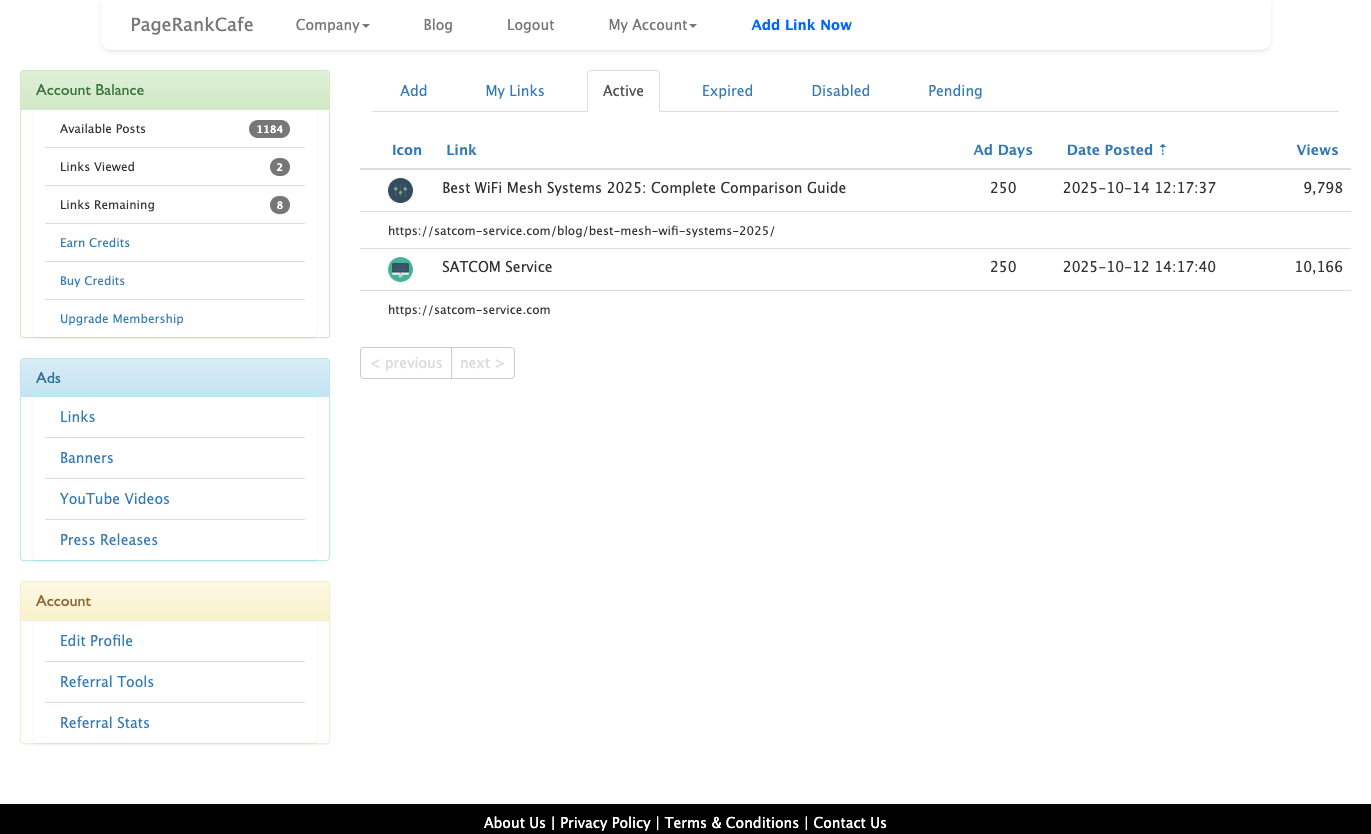
First, log into your PageRankCafe account and check your Post Points balance in the Account Balance section on the left sidebar. You will need at least 10 Post Points to post a 1-day YouTube ad.
Step 2: Navigate to YouTube Videos
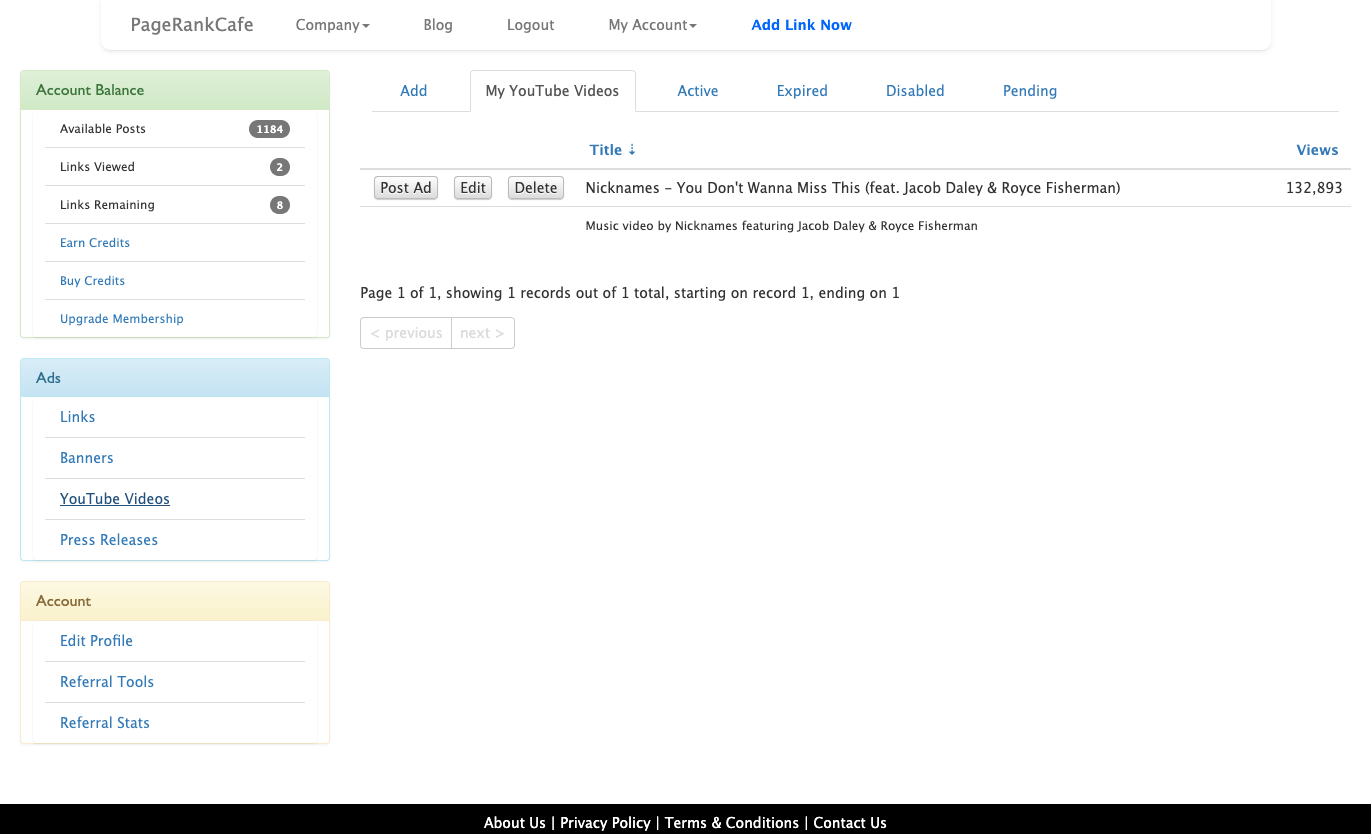
Click on YouTube Videos in the Ads section of the left sidebar. This will take you to your YouTube ads management page.
Step 3: Add Your YouTube Video
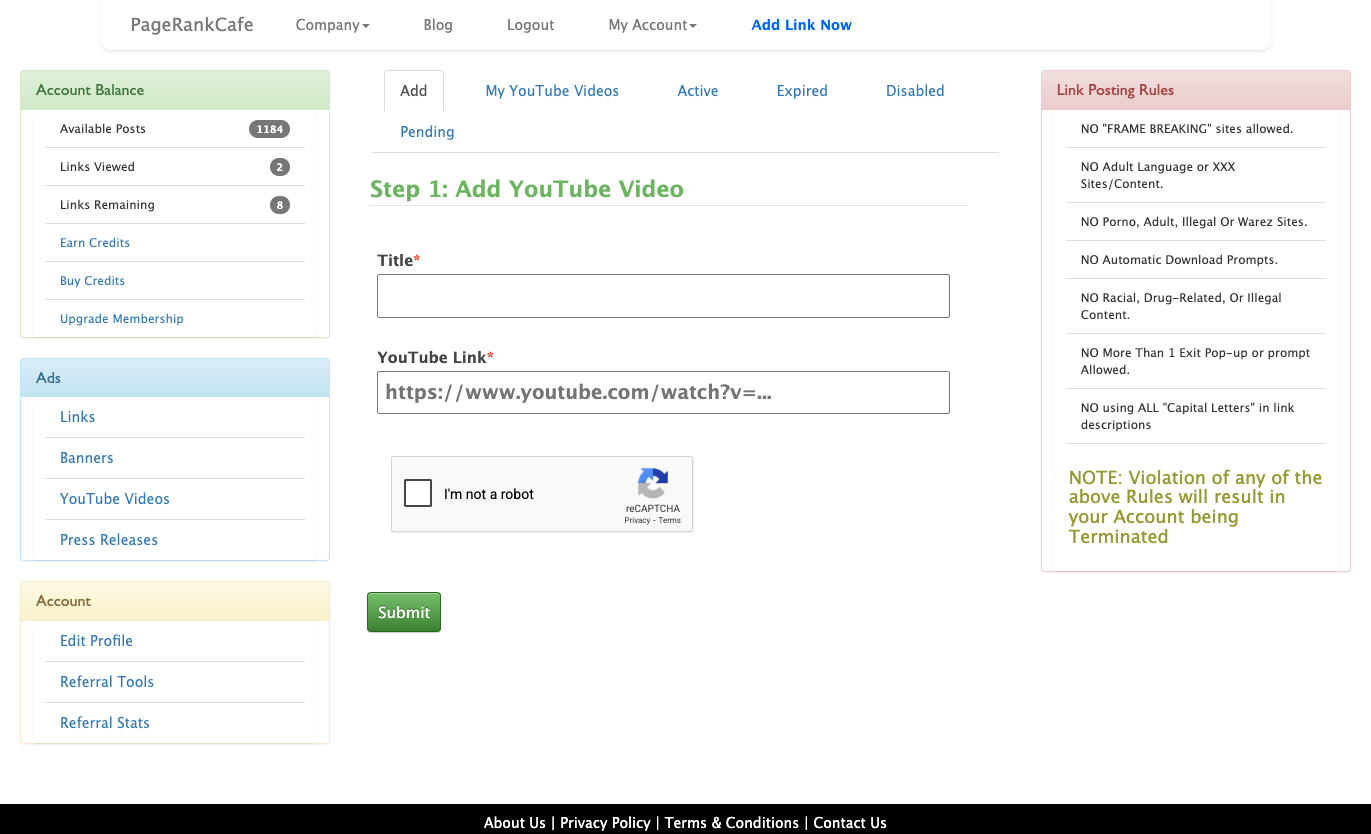
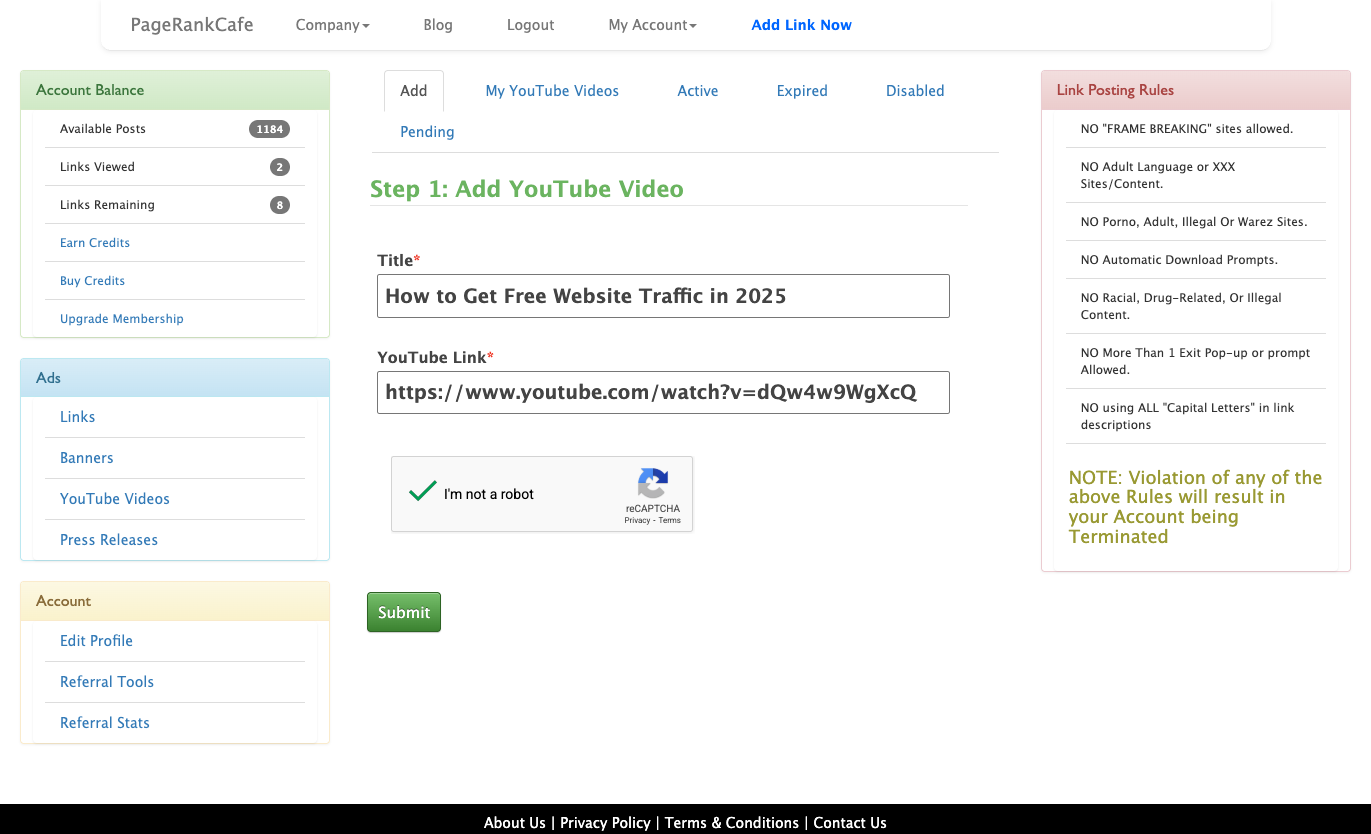
Click on the Add tab to add a new YouTube video. You will see a form with two fields:
- Title: Enter a descriptive title for your video ad
- YouTube Link: Paste the full URL of your YouTube video
Step 4: Fill in the Form
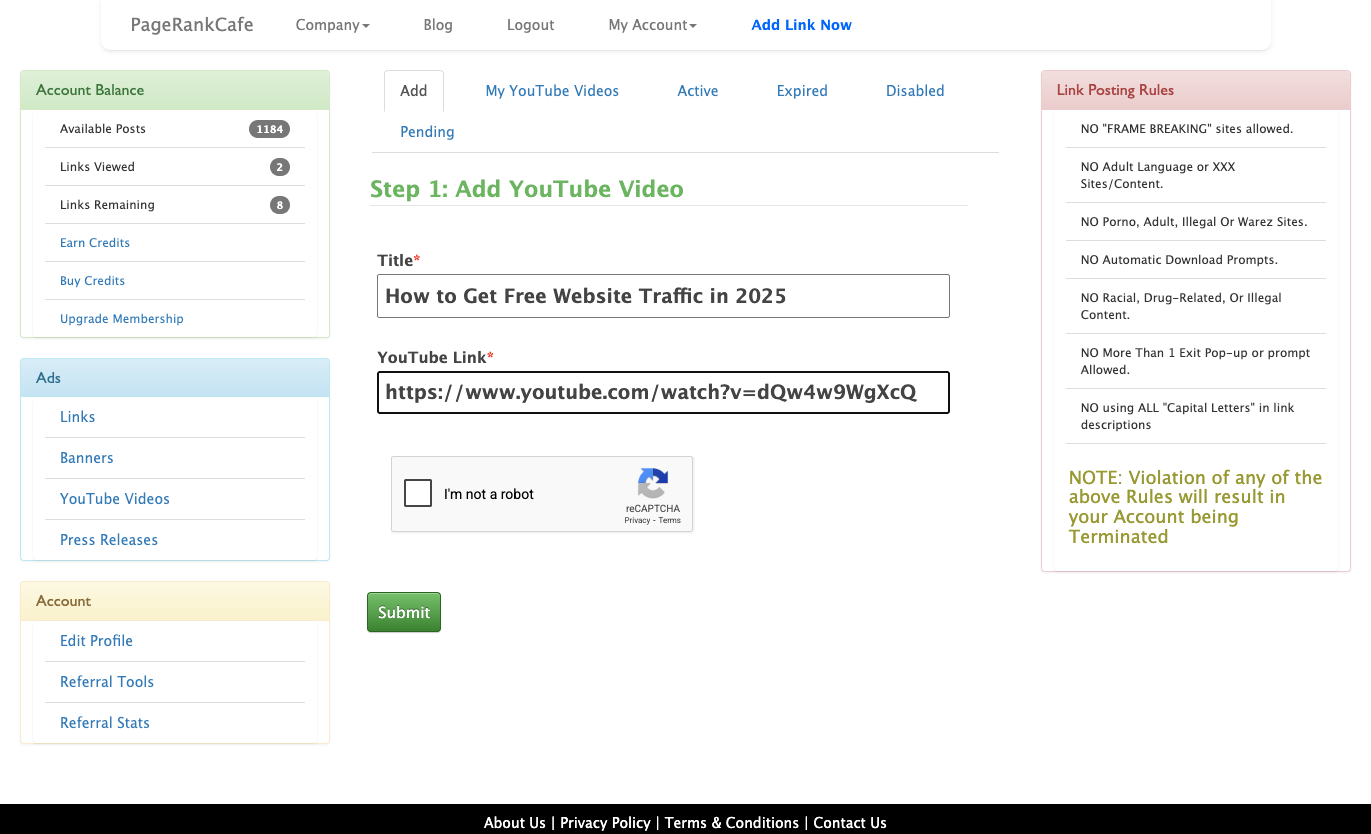
Enter your video title and paste your YouTube video URL. Make sure to use the full YouTube URL (e.g., https://www.youtube.com/watch?v=VIDEOID).
Step 5: Complete the CAPTCHA and Submit
Check the "I am not a robot" CAPTCHA box and click Submit. The system will verify your video and show you a preview.
Step 6: Video Saved Successfully
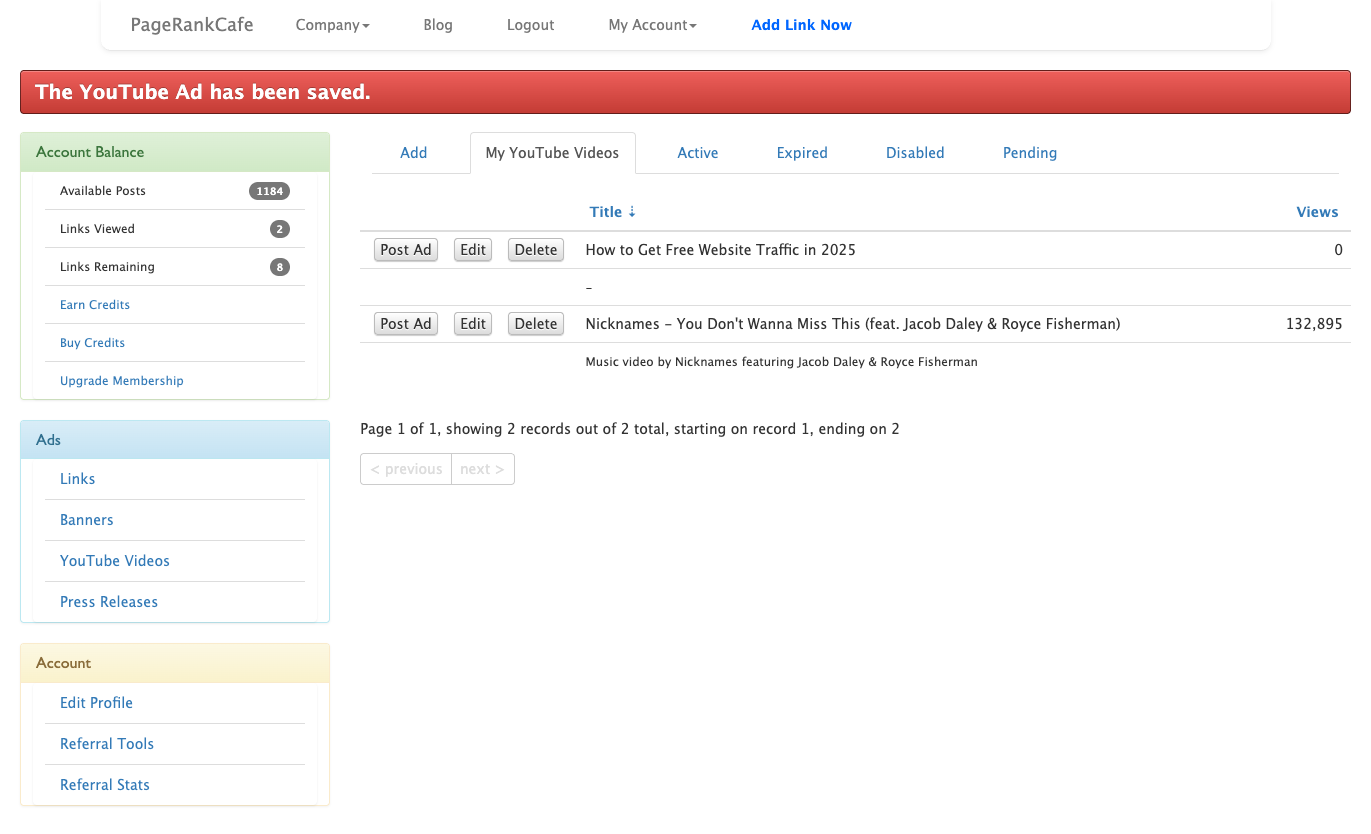
Once your video is validated, you will see a success message and your video will appear in your "My YouTube Videos" list. Click Post Ad to activate your video ad.
Step 7: Select Duration
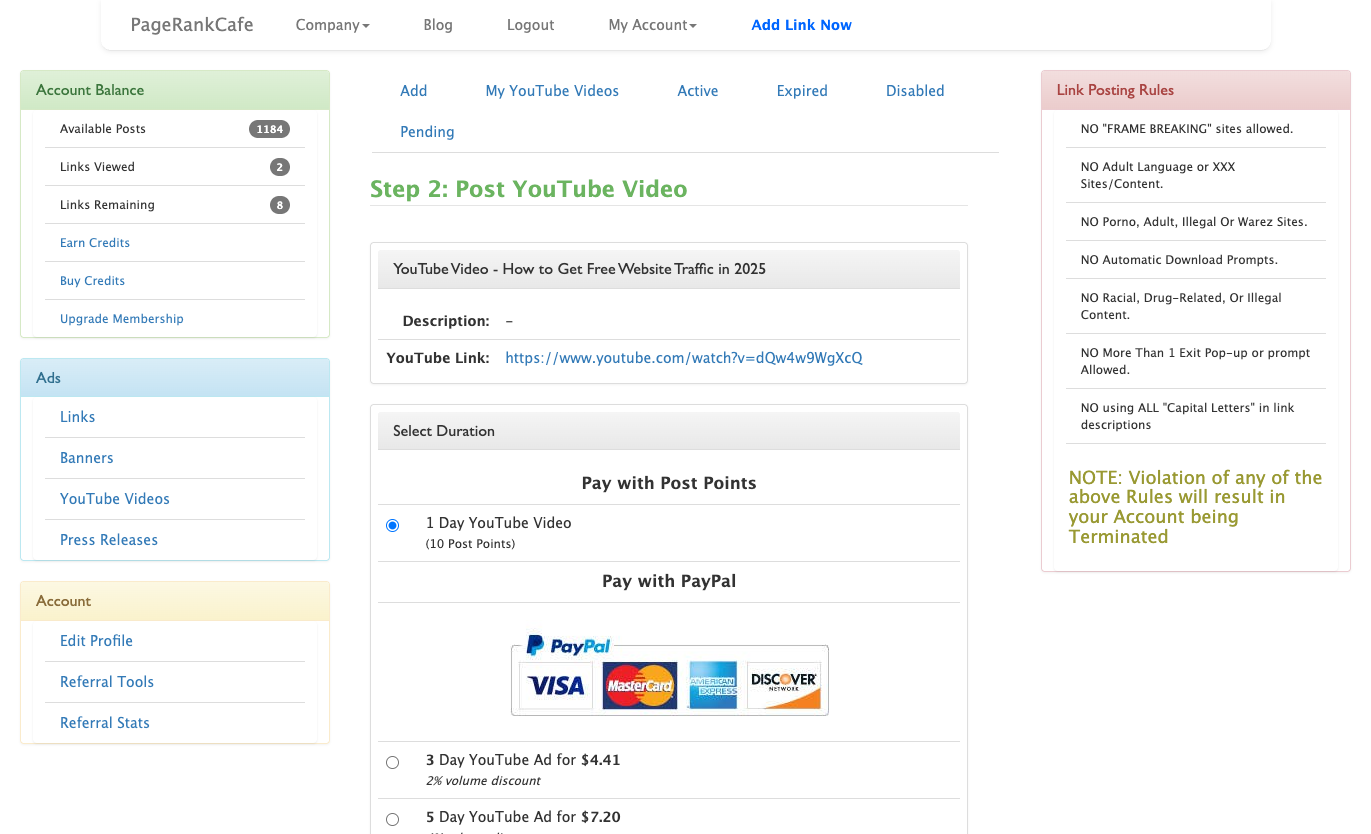
On the "Post YouTube Video" page, select how long you want your ad to run. The free option is 1 Day YouTube Video (10 Post Points) which is already selected by default. You can also choose paid options for longer durations.
Step 8: Success!
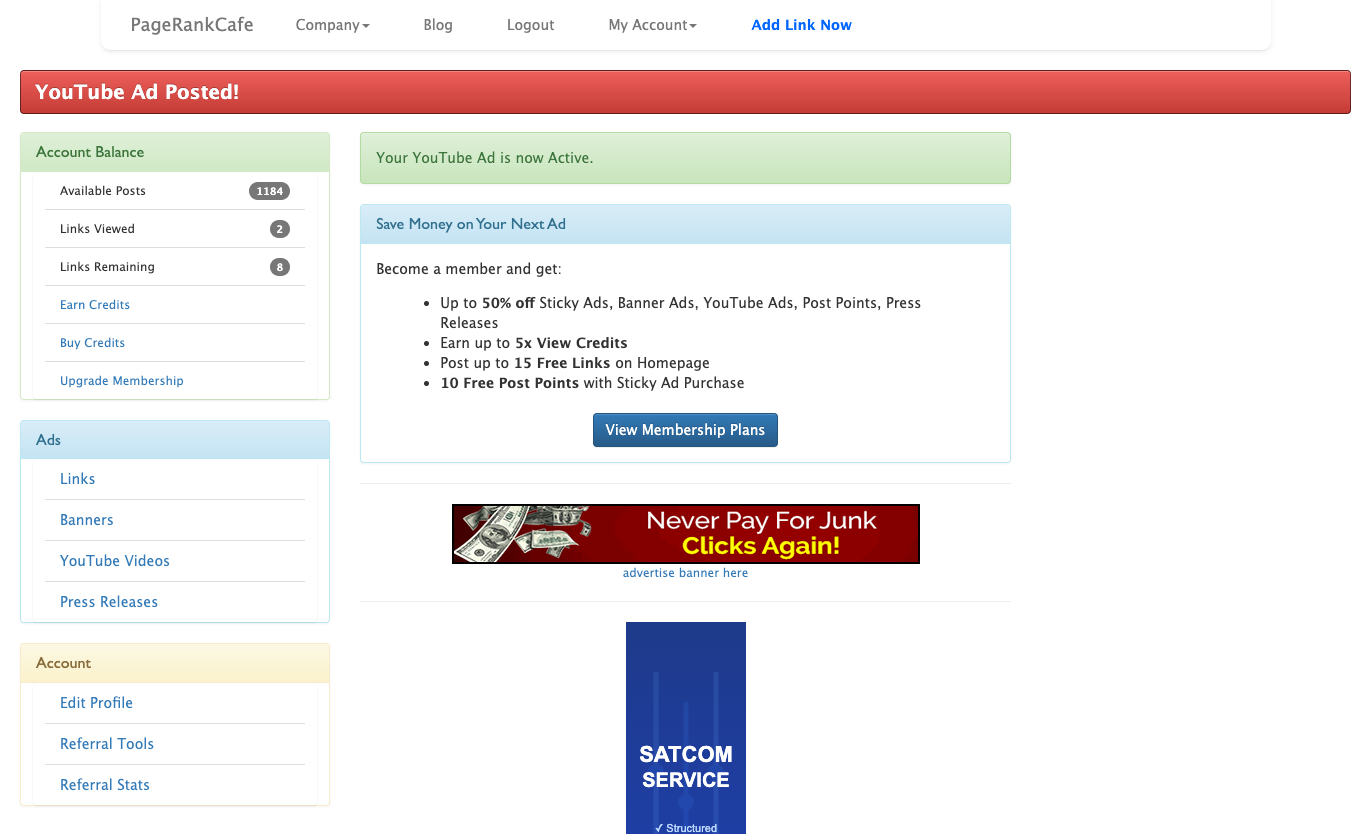
Click Submit and your YouTube ad is now live! You will see a confirmation message that your ad is active. Your video will now be displayed to other PageRankCafe members.
Tips for Better Results
- Use compelling titles: Your title should make people want to click and watch
- Post regularly: Keep your videos active by posting new ads when old ones expire
- Earn more Post Points: View other members ads to earn points for more free promotions
- Upgrade membership: Premium members get discounts on all ad types
Conclusion
Promoting your YouTube videos on PageRankCafe is quick, easy, and completely free when you use Post Points. Start earning Post Points today by viewing ads, then use those points to get real views on your YouTube content!
Create a free account to start promoting your YouTube videos today.